Read
คิดถึงนะ
khít-thǔeng námissing you
Paste it, share it from any app, or photograph it and frame the words. Yaek shows you what it read before it splits anything, and marks what it couldn't make out instead of guessing.
Free on iOS and Android
พรุ่งนี้phrûng-níitomorrow
Move over the line.Tap the line.
“Are you free tomorrow? I'd like to take you out to eat.”
Nine words: phrûng-níi, tomorrow; wâang, free; mǎi, question; khá, politely; yàak, want to; chuan, invite; pai, go; gin, eat; khâao, a meal. Are you free tomorrow? I'd like to take you out to eat.
Thai is written with no spaces. That message is nine words, and nothing in it says where one ends and the next begins. Yaek separates them, sounds each out with its tone, and glosses it. The dictionary is on your phone, so it works with the network off.
คิดถึงนะ
Paste it, share it from any app, or photograph it and frame the words. Yaek shows you what it read before it splits anything, and marks what it couldn't make out instead of guessing.
“have you eaten today?”
Type English, get Thai, separated and sounded out the same way, so you can check every word before you trust it. Read what it gets wrong first.
Screenshots from the Android build, every one of them taken with the phone in airplane mode.
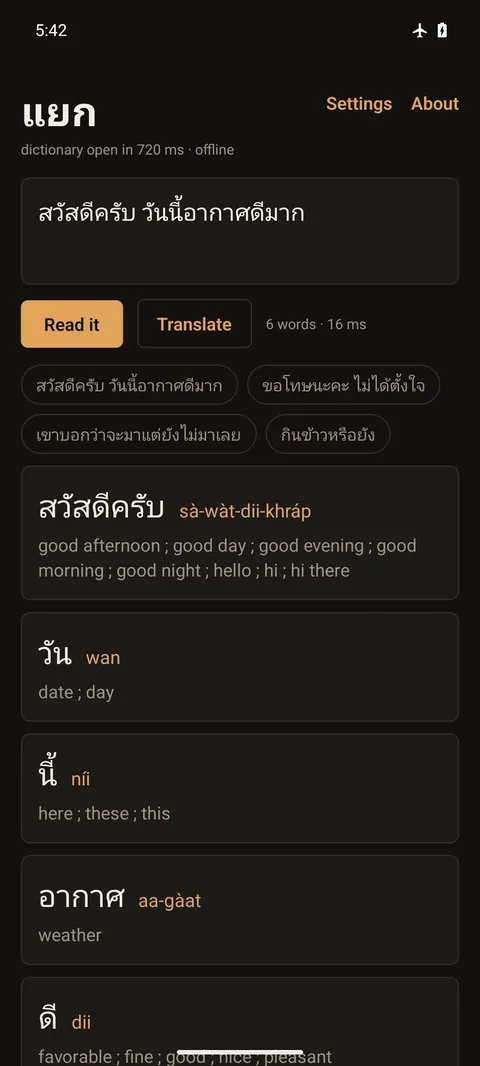
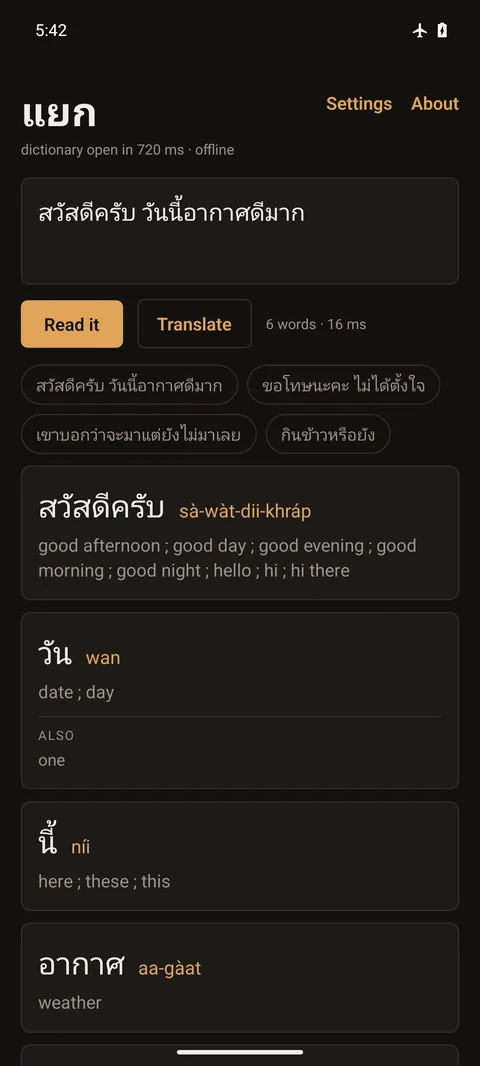
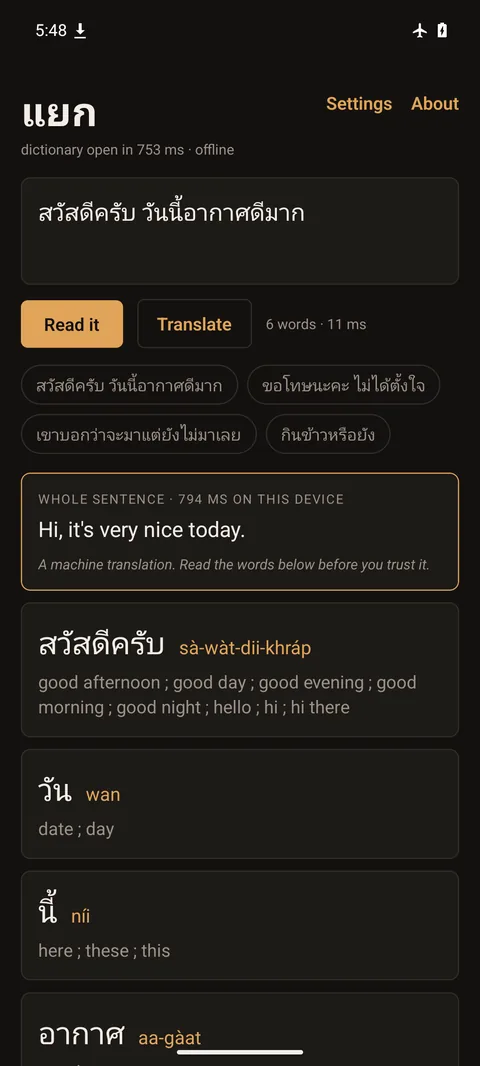
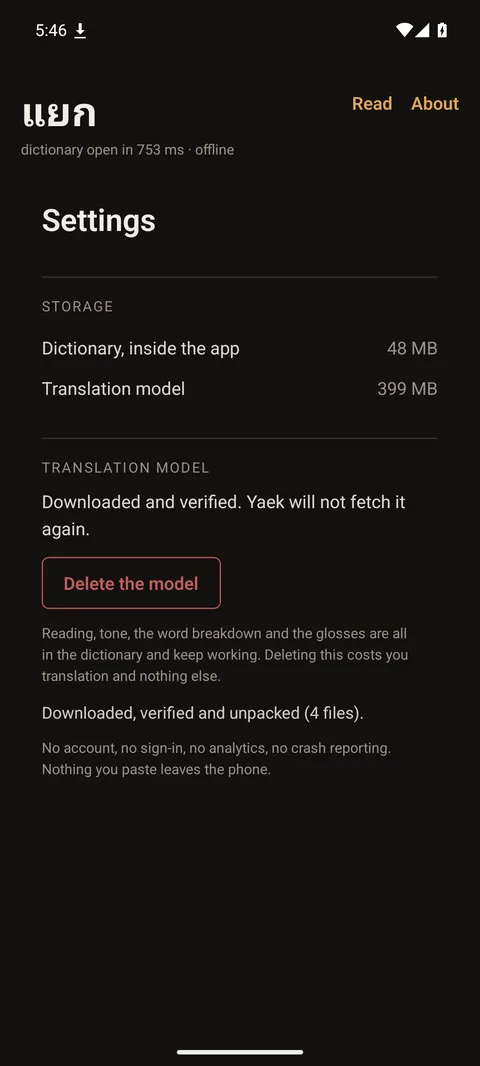
Not an offline mode you switch on. Two things in Yaek reach the network and both of them are buttons: the translation model, fetched once when you say so, and, in the Android build, a button in Settings that asks whether a newer version exists. Nothing runs on launch, on a timer, or unasked. Put the phone in airplane mode and nothing about the reading changes.
One thing can change that, and only if you build it. Settings will point the composing screen at a translation server you run, if you type in its address and key. There is no default and no service behind it. Once it is set up, what you type on that one screen goes to that one address. Reading, the dictionary, the tones and anything you photograph never leave the device either way.
Most dictionaries store a pronunciation next to each word, so a word that isn't in the dictionary has no pronunciation at all. Thai doesn't need that. Which of the five tones a syllable takes is a rule, and the rule reads four things off the written form.
ข้าว
Tap any syllable in the app to hear the shape of its tone. No voice data, so it works offline too.
khâaofalling tone, and no lookup involved.
Because the rule runs on letters rather than entries, a name, a slang coinage, or a word Yaek has never seen still comes back sounded out correctly. You may not learn what it means, but you can say it out loud, and often that is enough to be understood.
All three are known, none is fixable by trying harder, and you should read them before you rely on it.
Thai borrowed a large formal vocabulary, religion, law, government, most abstract nouns, from Sanskrit and Pali, and those words kept spellings that predate the tone system. Silent letters, unwritten vowels, clusters that split into two syllables. The derivation runs on them anyway and can come back with the wrong tone or the wrong number of syllables.
Yaek doesn't hide this. Where a word is a known loan, the romanization is marked and the derived reading is shown as a guess rather than an answer. Dictionary entries override it; unknown loans are the case where Yaek is least trustworthy.
Politeness in Thai is carried by small words the model drops: the sentence-final particles ครับ khráp and ค่ะ khâ, and the softening นะ ná. It also picks pronouns by coin toss, and Thai has many, each one a statement about who you are to the person reading.
The output is grammatical and blunt. Fine for a menu, wrong for a message. Settings asks which particle you end your own sentences with, and Yaek offers to add that one to a draft that has none, so the manners on it are yours rather than the model's guess. The pronoun is left as the model wrote it, because ผม is also the word for hair and Yaek will not swap a word it cannot be sure about. Treat composition as a draft you read word by word before you send it. Yaek splits its own output for exactly that reason.
Reading text off an image is two problems, and Yaek is much better at one of them. Measured against 162 real photographs of Thai signs, packaging and vehicles, with the text framed by hand: fewer than half the words survive, about one in ten is a word nobody wrote, and roughly a quarter of the time nothing legible comes out at all. Display lettering is what breaks it, not distance or focus.
A screenshot is a different problem and Yaek is good at it. Measured on 60 real screenshots of Thai messages: 98.7% of words come through and nine messages in ten are perfect. If someone sends you Thai, Yaek will read it. If you point the camera at a shopfront, check what it read.
So Yaek asks you to frame the words rather than hunting for them, shows you the Thai it read before it splits anything, and marks what it couldn't make out instead of reading it aloud. A word that was never written is worse than a word that is missing: the missing one you go and ask about, the invented one you learn.
Free. No account. The app is small; the language is not.
An APK, for Android, arm64 - which is every phone that can run this. There is no App Store or Play listing to link to, and a button that said otherwise would be the same class of thing as a number nobody re-ran.
Android will warn you before installing something that did not come from a store, and it is right to. Check the file is the one that was built here before you allow it:
sha256sum yaek-0.7.0-arm64-v8a.apk79458688380569d65ec8150a73770cb04d31e0e9d61b69135b8fb011d45f030e
An app signed by one key can never be updated by another, so if that digest and the file you downloaded ever disagree, do not install it.
Versions after 0.6.0 are a different app to Android and install beside it rather than over it. Uninstall 0.6.0 afterwards; the translation model, settings and reading history do not carry across.
48 MB of that download is the dictionary itself and 5 MB is the Thai text recogniser, both inside the app, so reading, tone, the word breakdown and the camera all work before you fetch anything. The 399 MB is the translation model, and it is the only thing Yaek ever downloads. The only other request the Android build makes is a button in Settings asking whether a newer version exists; nothing happens on launch, on a timer, or without you. Do it on wifi. You can delete it afterwards and keep everything else.